> ## Documentation Index
> Fetch the complete documentation index at: https://www.renderjuice.com/docs/llms.txt
> Use this file to discover all available pages before exploring further.
# Using Composite Node File Outputs with Render Farms
> Composite nodes and File Output nodes are fully supported on Renderjuice. Learn how to download composite outputs separately.
## Status: ✅ Fully Supported
Composite nodes and composite file outputs are fully supported on Renderjuice and should work as expected out of the box 🎉 without much hassle.
If you're just using compositing for a single shot without extra file outputs, no changes are needed and everything will work as expected.
## Example File
Below is a simple example `.blend` file that utilizes a composite node setup.
We use three cubes with Red, Green, Blue materials respectively.
In the `Compositing` tab, we setup a composite node to key out the Red, Green, and Blue channels to three separate `.png` files via `Channel Key` nodes.
`.blend` file with three File Output nodes in addition to the main render.
## Instructions
Luckily, no special setup is generally needed for using composite file outputs with Renderjuice.
If you're compositing separate passes and writing to files via `File Output` nodes under the Compositing tab, things will still work as expected, but your file output node paths will be available as a separate bundle on download.
For the file paths of the `File Output` nodes, we do our best to ensure that your compositing setup has the best chance of success. You **do not** have to setup relative pathing for file output nodes to get your compositing outputs.
If we detect that your Blender scene is using composite nodes, we provide a separate tab (shown below)and buttons for downloading those outputs separately from your main render.
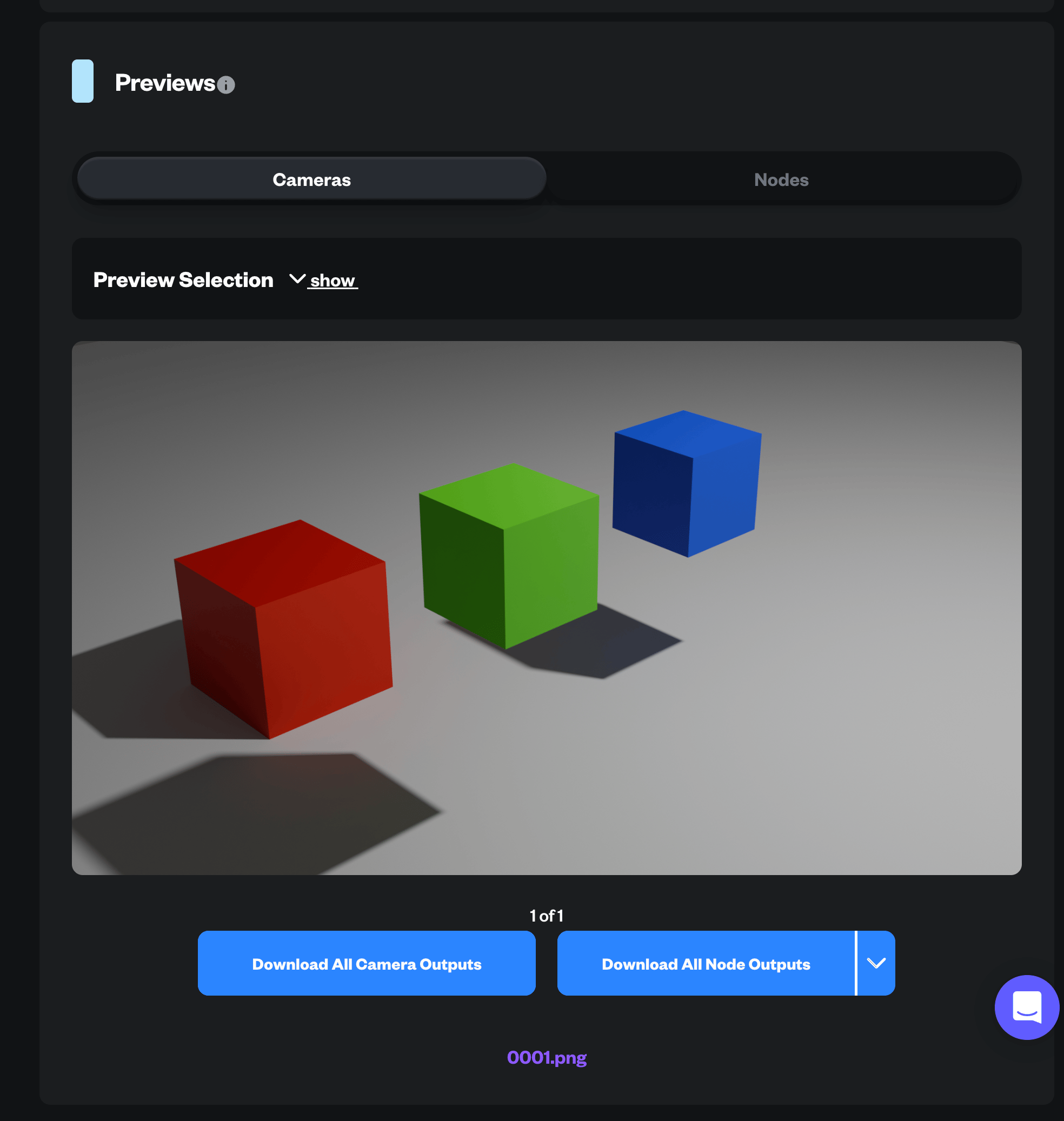
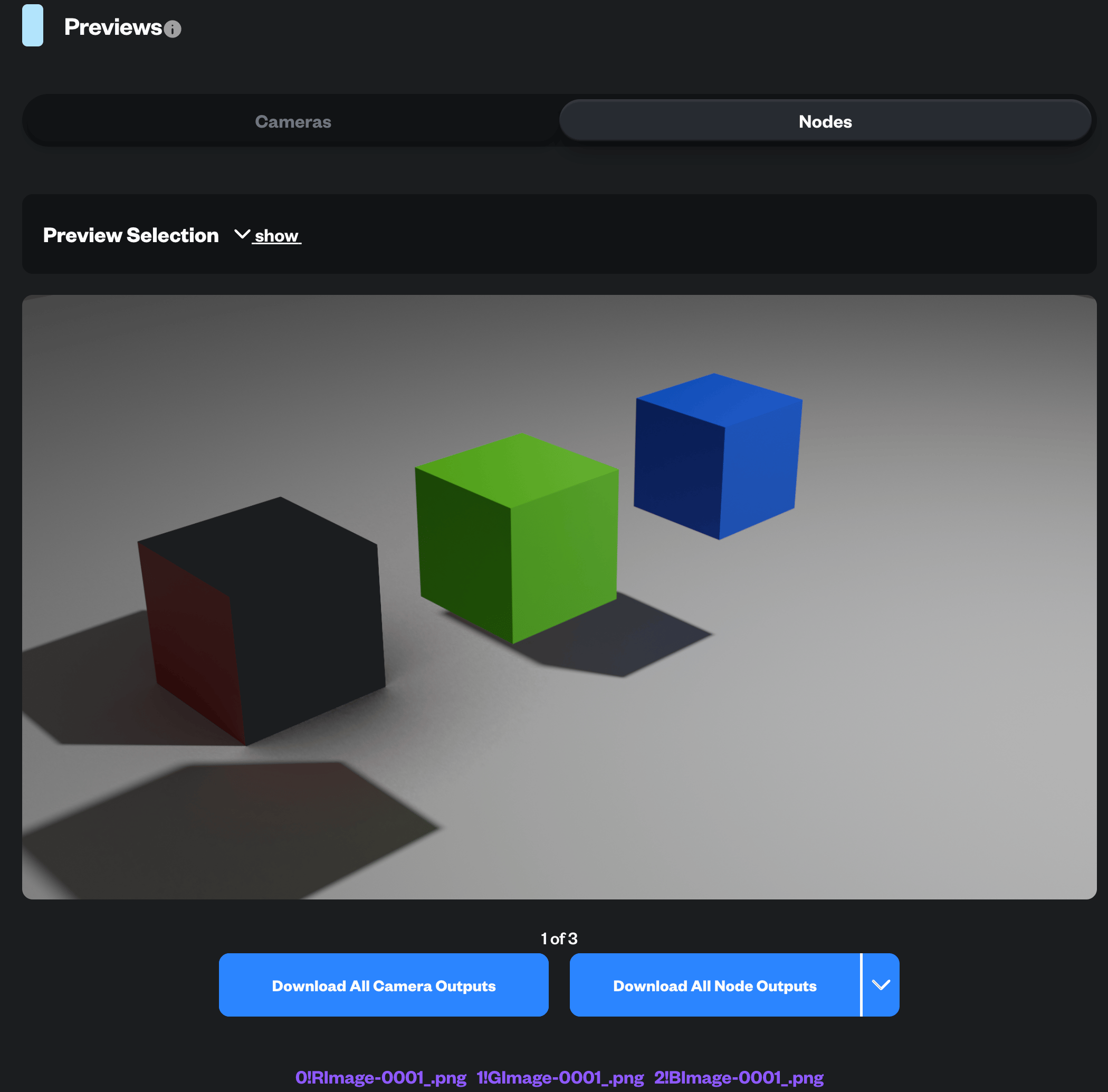 At the time of writing, we do not preserve folder structure for composite outputs, but do our best to make it easy to download each `File Output` nodes outputs individually.
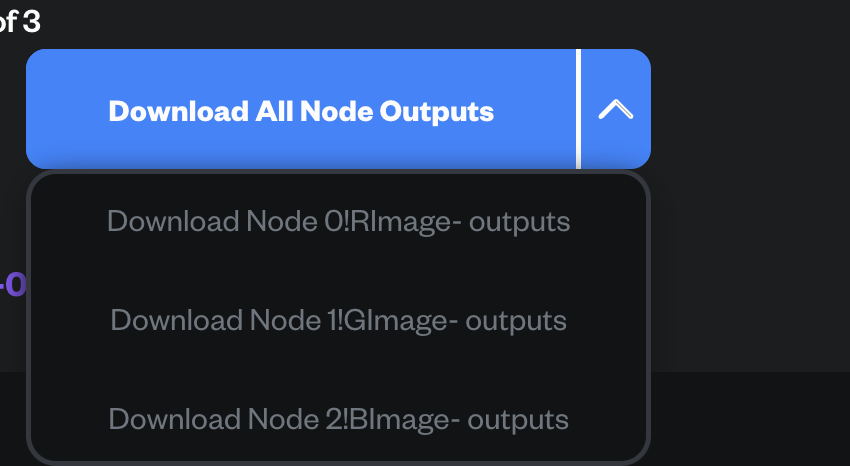
You can use the dropdown combo button to download each individual file output node's outputs as shown below.
At the time of writing, we do not preserve folder structure for composite outputs, but do our best to make it easy to download each `File Output` nodes outputs individually.
You can use the dropdown combo button to download each individual file output node's outputs as shown below.
 ## FAQ
Unfortunately, no. This is a limitation of Blender at the moment and a long-standing issue. You can read more on the discussion with developers here [https://projects.blender.org/blender/blender/issues/57699](https://projects.blender.org/blender/blender/issues/57699)
and here: [https://projects.blender.org/blender/blender/pulls/117129](https://projects.blender.org/blender/blender/pulls/117129)
If this is your use case, we recommend ensuring your main shot is as dumb as possible to limit overhead or to use Multilayer EXRs for individual passes.
## FAQ
Unfortunately, no. This is a limitation of Blender at the moment and a long-standing issue. You can read more on the discussion with developers here [https://projects.blender.org/blender/blender/issues/57699](https://projects.blender.org/blender/blender/issues/57699)
and here: [https://projects.blender.org/blender/blender/pulls/117129](https://projects.blender.org/blender/blender/pulls/117129)
If this is your use case, we recommend ensuring your main shot is as dumb as possible to limit overhead or to use Multilayer EXRs for individual passes.