Guide
An EXR viewer for real production files
Most online EXR viewers can't open real production files. They handle scanline ZIP and not much else. Multilayer? Multipart? DWAA, DWAB? They choke. So we built one that doesn't.
Tested against real output from Blender, Houdini, Nuke, Maya, V-Ray, Arnold, and RenderMan. Decode runs in a Web Worker (with a main-thread fallback if the worker can't load). Rendering is on the GPU. Your file never leaves the browser.
Launch the viewer → Back to the EXR Viewer overview →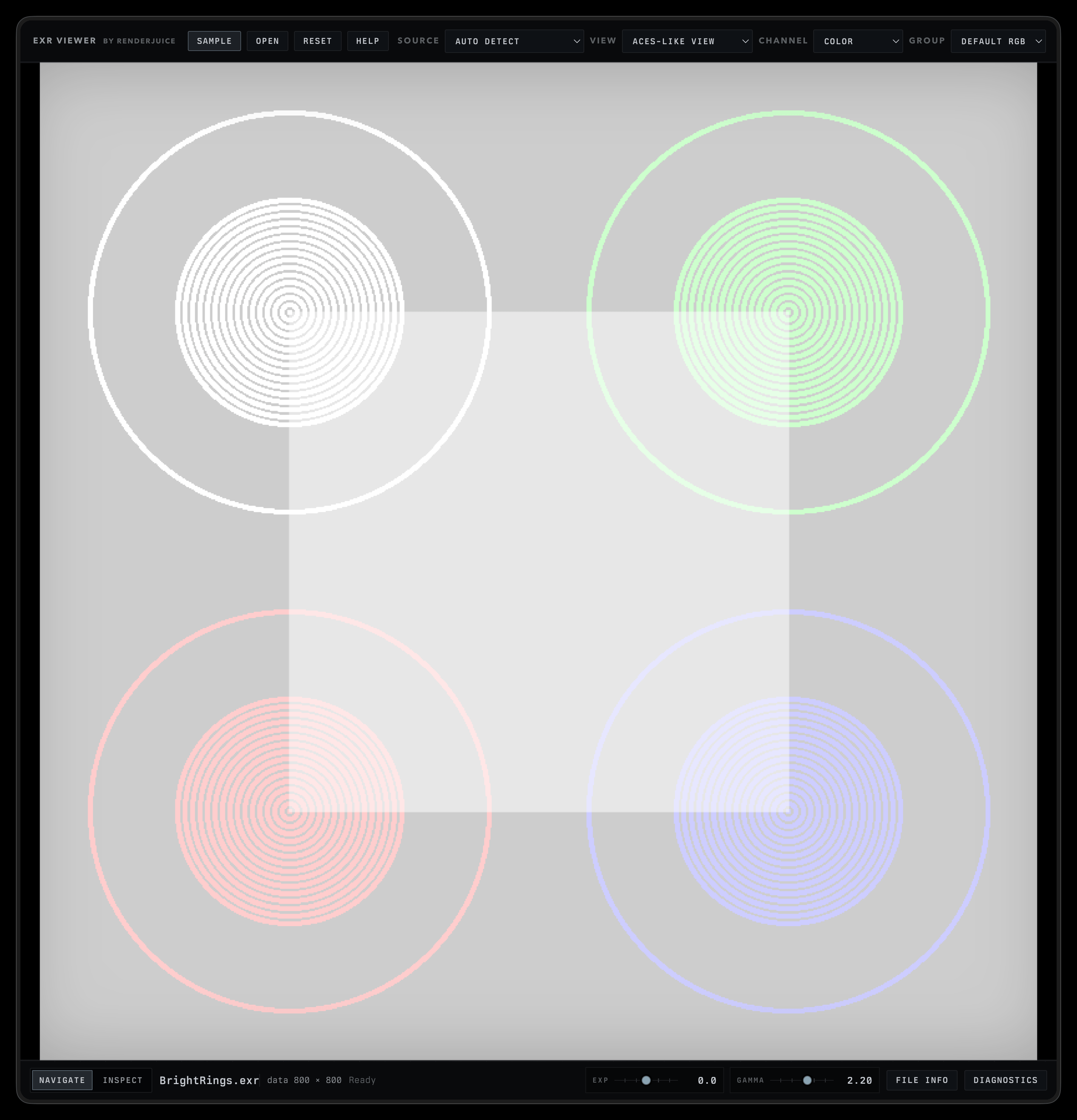
Coverage Map
Coverage map's here. Read it before you trust this on a paid job. Every compression and file shape we test, plus the ones we don't.
When the viewer hits a known-unsafe path (deep samples, RANDOM_Y scanlines, B44 with UINT, etc.), it stops with a tiered warning (warning or critical) instead of guessing. Each warning has a plain-language detail, a recommended next step, and a Technical detail disclosure if you want the raw error string.
See the coverage map →What makes this different
-
Cryptomatte click-to-pin
Click an object on the canvas, get the matte name resolved from the manifest (not a hash). Pin it, isolate it in the viewport to sanity-check coverage, export as a 16-bit PNG into Nuke or After Effects. Most browser EXR viewers can't read the manifest at all.
-
Color Trust panel
File Info and Diagnostics drawers both show a pass / needs-attention readout on the active display path (source interpretation, view, tone map). When something's off, the failing sample gets called out instead of buried.
-
Fixture self-check, in your browser
Diagnostics runs the bundled official OpenEXR fixtures through this build, in your browser, and shows a Fixture / Decode / Remap / Path / Limitation table. You're seeing the actual codec and file-shape health of the viewer right now, not a static support promise.
What it decodes
-
Compressions
NO, RLE, ZIPS, ZIP, PIZ, PXR24, DWAA, DWAB. Eight of the ten official EXR codecs. B44/B44A are detected but not decoded yet.
-
File shapes
Single-part multilayer, multipart, beauty plus AOV groups, Cryptomatte with manifest parsing.
-
Renderers
Tested against real output from Blender, Houdini, Nuke, Maya, V-Ray, Arnold, RenderMan.
Open a file
Three ways, all on the left of the top bar.
-
Sample
Loads a bundled multilayer EXR. Quickest way to confirm the viewer's working before you point it at your own files.
-
Open
Standard file picker. Accepts
.exr. -
Drag and drop
Drop an EXR anywhere on the page. A drop target shows up while you drag. Other file types get ignored with a status message.
Image controls
Right side of the top bar. Four dropdowns that change what you see.
-
Source
How to interpret the file's color space. Auto-detects from the header by default. Override when the header lies.
-
View
Tone mapping applied on the GPU before pixels hit the canvas. ACES-like, Reinhard, or linear clamp.
-
Channel
What the canvas shows. Composite Color, individual R / G / B, Alpha, Luma, or Hash Color (mostly for Cryptomatte inspection).
-
Group
Which layer or AOV group inside the file. Multilayer EXRs surface their parts here (beauty, diffuse, specular, depth, etc).
Multipart files also surface a Part dropdown to switch between parts (left/right stereo, named beauty/AOV groups).
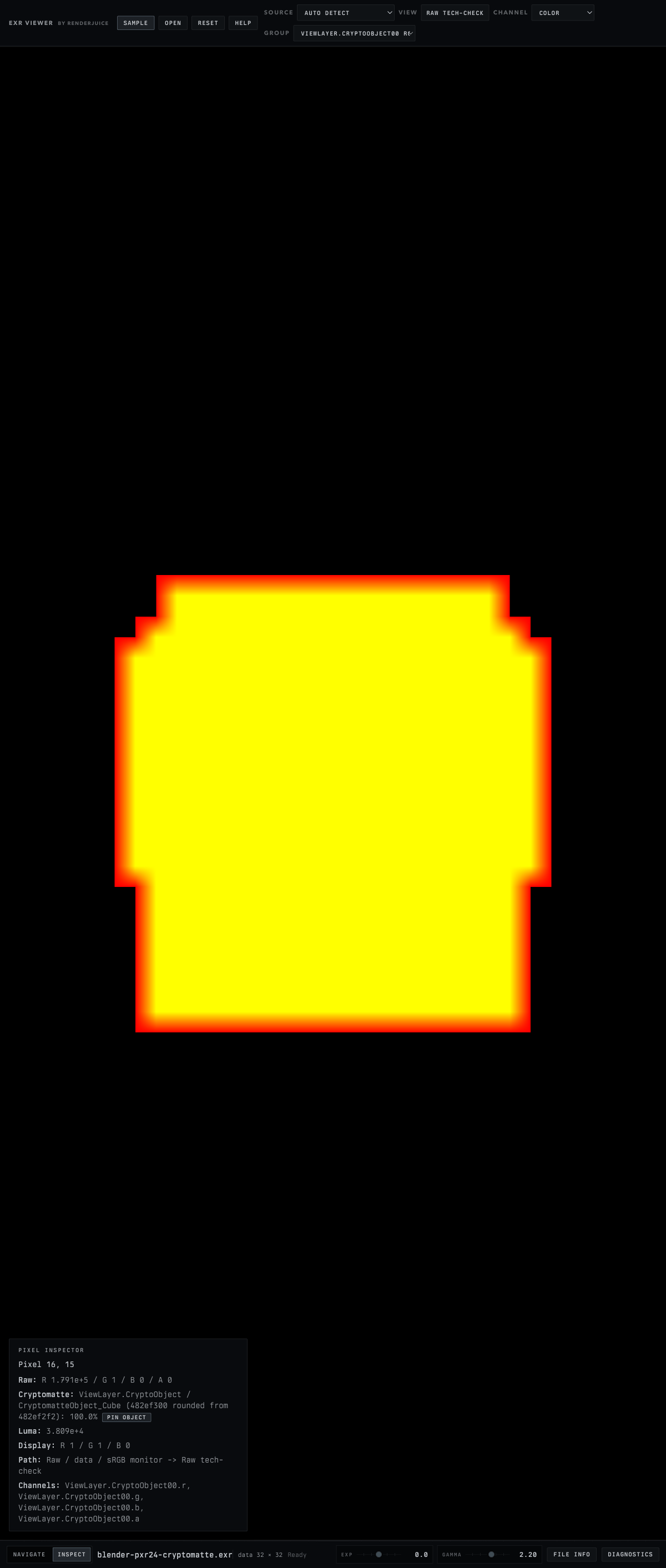
For files with a Cryptomatte manifest, click-to-pin works in Inspect mode. Pick a CryptoObject or CryptoMaterial layer in Group, then click an object. The Pixel Inspector resolves the matte name from the manifest and gives you a Pin button. Once a matte's pinned, the Isolate in viewport toggle dims everything outside it so you can sanity-check coverage on the actual frame, not just a thumbnail. Pinned mattes export as a 16-bit PNG. Drop them into Nuke or After Effects.
The Pixel Inspector
Switch to Inspect mode and click any pixel. You see the whole color chain (raw scene-linear values, the tone-mapped display, the interpretation path), not just RGB.
- Raw: scene-linear RGBA straight from decode.
- Luma: derived luminance.
- Display: the same pixel after the chosen View tone-map.
- Path: the interpretation chain (e.g.
Raw / data / sRGB monitor → Raw tech-check). - Channels: which source channels the values came from (e.g.
ViewLayer.Combined.r, .g, .b, .a).
The status bar
Below the canvas, left to right: Navigate / Inspect mode toggles for canvas interaction, the file name and dimensions, Exp and Gamma sliders for display adjustment, plus File Info and Diagnostics drawers. The Color Trust panel and fixture self-check both live in those drawers (see above).
Out of scope
This is a still-frame inspection tool, not a review suite. Sequence playback and color-critical final review stay in DJV, OpenRV, or Nuke. Deep EXRs are detected and refused (rather than flattened into a misleading flat image), with a clear warning pointing you at a deep-aware tool. See the coverage map for the full list.
Files stay in your browser.